The builder sold them a thin wire package. I paid for it.
A brand-new townhouse with gigabit fiber and three Yamaha amps that kept dropping out. The problem was never the amps, and fixing it was free, because I was new and wanted the referral.
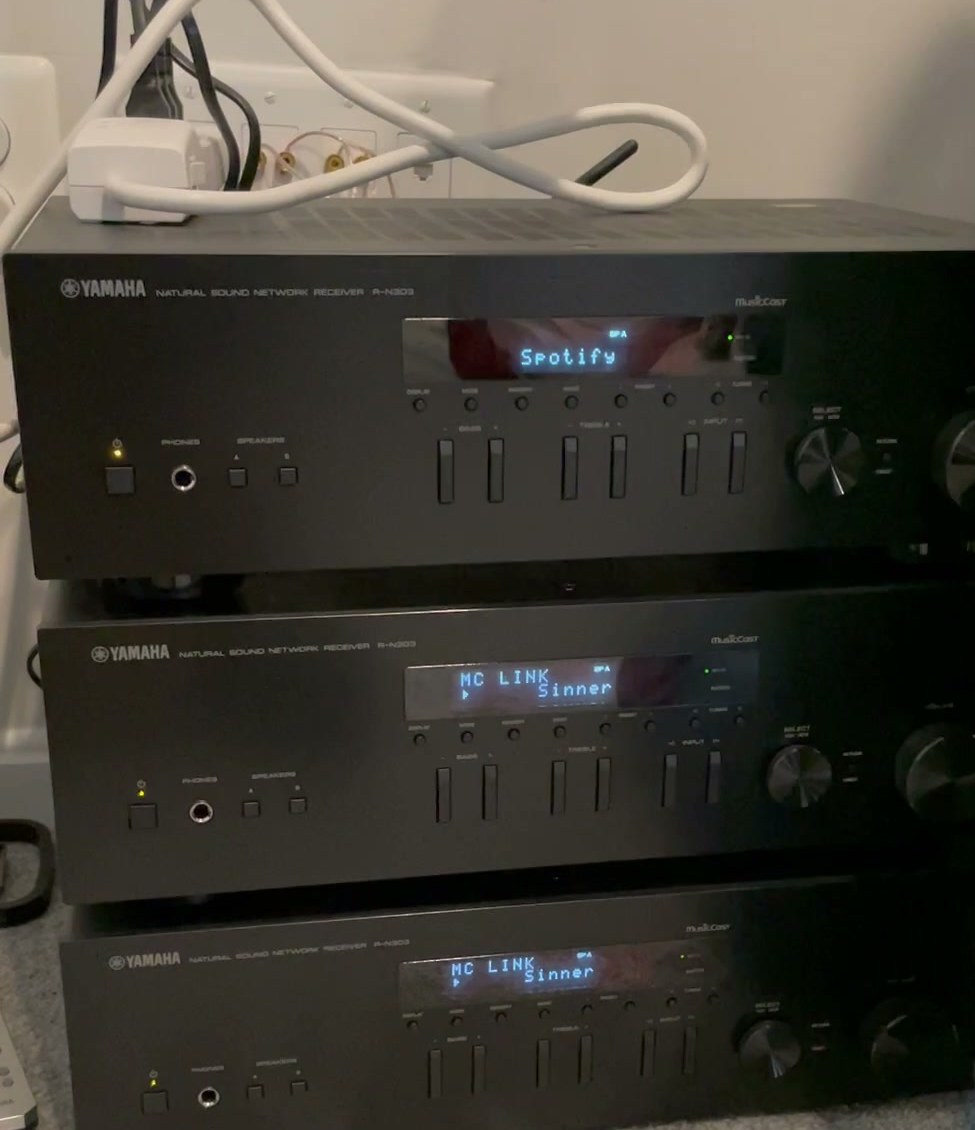
The house was brand new. Gigabit fiber. Three Yamaha network receivers running as MusicCast amps that we had sold and installed ourselves, feeding ceiling speakers.
And the music kept cutting in and out.
What the builder actually sold
The easy version of this story isn’t true. It wasn’t that the builder ran no copper. It was a production builder’s basic wiring package — a couple of coax drops and a couple of Cat5e drops. The buyer had the option to upgrade to Cat6 throughout and didn’t take it.
There was no pre-wire for wireless access points at all.
Those upgrades were available from the builder, and they were wildly expensive. With a production builder, the buyer generally can’t bring their own hardware or their own contractor unless they pay for the pre-wire at rough-in. So the choice in front of the buyer isn’t “good network or cheap network.” It’s “pay this number now, or deal with it later.” Most people look at that number and decide later sounds fine.
Here’s what the numbers looked like on the builder’s low-voltage option sheet in 2021. An extra Cat6 outlet was $245. A single wireless access point was $1,100. The full networking package, with a router, two access points, a switch and a technician to set up the Wi-Fi names and passwords, was $3,660. Upgrading from Cat5e to Cat6 was $35 a run, and it was all runs or none.
That $35 isn’t the cost of running the cable. It’s only the charge to change the wire from Cat5e to Cat6. A whole 1,000-foot box of Cat6 from the big distributors is about $170. At that price, $35 buys about 200 feet of cable. So $35 a run sounds negligible, but it pays for all of the wire in the run, not just the upgrade. That’s a pretty crazy markup on materials. The expensive part of low-voltage wiring is the labor, and there is no additional labor to run or terminate Cat6 instead of Cat5e.
Later is where I come in.
Everything said it was working
We weren’t called out to fix a network. We were there to do the job we’d sold: ceiling speakers, amplification, sources. The receivers were on Wi-Fi as MusicCast endpoints.
We had some hiccups getting the receivers onto the Wi-Fi in the first place, and we chalked it up to the usual quirks of putting a receiver on a wireless network. That’s normal enough that it didn’t register as a symptom.
Then the dropouts started, and nothing pointed anywhere. The receivers showed connected. Our phones showed connected. The streaming service showed it was playing. It just kept going in and out, and we couldn’t pin it to anything specific.
At the time, when we walked into a house and saw a Verizon Fios gateway, we didn’t question the internet. We’d join on a phone, see a strong signal, and move on. Fiber plus strong signal meant we were good to go.
That’s not how we work now. Now we use tools like Ubiquiti’s WiFiman to actually check coverage, signal strength and loss. But that habit came from this job, not before it.
What we found
The gateway had never been set up.
It was still sitting in its out-of-the-box state. Channels never set. Default SSID. Default passwords. Somebody from the ISP powered it up and the setup was simply never finished.
Which means it was broadcasting on default channels — and so was everyone else on the street. These were narrow townhouses, units on both sides and units across the front. Three or four close enough to matter. But you open your phone inside one of these houses and you see a dozen networks, and exactly one of them belongs to the person who lives there.
All of them politely stacked on the same handful of channels.
The fix
Two things.
We finished the gateway setup properly. And we put an unmanaged four-port switch on top of the amps to get all three receivers off Wi-Fi entirely. The basement rec room was small, but it happened to have one of the wired drops, which is the only reason that was possible. If the gear had landed in a room the builder’s package didn’t reach, that option wouldn’t have existed.
The dropouts stopped immediately.
Fixing the Wi-Fi mattered on its own, too, because we also installed a Ring doorbell and two exterior cameras for them. The ones we installed were Wi-Fi only. Without sorting the gateway out, we’d never have gotten consistent performance from the cameras either.
Who paid for it
We did.
This was early in the company, when we did a lot of work we didn’t charge for because we thought we were being nice guys. And the network troubleshooting wasn’t the client’s fault, so charging for it felt wrong.
There was also a framing problem I didn’t know how to fight yet. We quoted a price to install AV hardware. The client understood that price as “make the AV hardware work.” From where they sat, fixing the network was part of making the AV hardware work — it was all one number. We were a new company and we wanted the referral, so we didn’t dispute it.
I don’t think the client was being unreasonable. I think that’s genuinely how it looks from their side, and the reason it looks that way is that nobody told them a network was a separate thing they were buying. The builder didn’t. The ISP’s installer didn’t finish the job. So by the time anybody explained it, the only person standing in the room was me.
What I’d say now
Hardwired should be the path for speed and reliability. Wi-Fi should be for ease of use — not for laziness, and not for saving money at rough-in on a house that will be asking more of its network every year it stands.
The cable is the cheapest it will ever be before the drywall goes up. After that, every conversation about it happens in somebody’s finished basement, with a contractor deciding whether to eat the hours.
But the part I keep coming back to isn’t the wiring package. It’s the gateway.
An ISP router that was never fully configured, or that was configured but the installer never touched the Wi-Fi channels — that is not a rare thing. More often than not, when there’s an issue at a customer’s house and we go looking, that’s what we find.
But we only find it because we’re looking, and we only look when something is already broken. To know how common it really is, you’d have to measure traffic across the Wi-Fi channels in houses where nobody has complained about anything, and nobody does that.
Which is what I wonder about. How many people are living with Wi-Fi that’s a little worse than it should be — video that buffers, a speaker that stutters, a camera that misses a clip — and have quietly decided that’s just how Wi-Fi is? When the actual cause is the neighbors’ traffic landing on the same channel, or a router that somebody powered up and walked away from.
Nobody calls about that. It isn’t broken enough to call about. It’s just a house that never works quite as well as it could.