I still recommend SofaBaton. That's not the same as liking it.
Two home theaters, two SofaBaton remotes, and what actually happened after the install — from someone who ran Harmony for 15 years.
I have been using Logitech Harmony remotes for probably 15 years. At home we have a Harmony Companion in the family room, another in the basement, and a Harmony Elite in our theater. They’ve each been running for at least 7 years, maybe 8, and they still work perfectly. Logitech stopped manufacturing them in 2021, and the servers they depend on are still up.
That’s the bar. I have a Harmony bias, and everything below is measured against it.
Some of Harmony did die. Logitech shut down the old Harmony Remote Software in May 2025, which stranded around 40 of the older wired models — the 650s, the 700s, the 900s. Those keep running whatever they were last programmed with and can’t be changed again. When I wrote that Harmony was discontinued and nothing had replaced it, I guessed the newer hub platform was next. That hasn’t happened.
You still can’t buy one, though, and what’s standing in the hole is SofaBaton. We have put SofaBatons in two customer theaters. This is what happened in those two rooms, not what happened on a workbench.
Theater 1: the remote that belonged to someone else
The clients bought a house that already had a theater in it. The previous owners left a binder full of manuals, installation guides and invoices from when the theater was built. There was a Control4 remote in the room, still set up for the previous owners.
When the new owners tried to program it, they couldn’t. They called the dealer who built the system, and that dealer was out of business. The remote was old enough that reprogramming it might not have been worth doing anyway. They weren’t interested in finding out.
They came to us as a referral from another client. They wanted to upgrade the projector, so we installed a JVC NP5. The rest of the rack was a Marantz AVR, a PlayStation 5, and an older Google Chromecast — the little puck with an HDMI plug and a USB cable, not a Google TV box. We put in a SofaBaton X1.
Getting it talking to the equipment didn’t take much. SofaBaton is leaps and bounds easier to program than Control4, URC or RTI. It was harder to program than a Harmony.
Most of what was hard was timing. Delays, key repeats, and power settings that behave differently than Harmony’s. The JVC is the clearest example. Like most projectors — our Epsons do it, Sony’s do it — the JVC wants you to press standby once, which puts a dialog on screen, and then press it again to actually turn off. The JVC was in SofaBaton’s IR database. I added that exact projector. I still had a hard time getting the remote to do that double press with the right timing, and I expected the profile for that projector to handle it.
The PS5 was harder, and there’s a reason it was never going to be easy. The console takes its commands over Bluetooth, using Sony’s own implementation, which no universal remote can speak. Everything a third-party remote does with a PS5 goes through HDMI-CEC, passed along by the television. CEC gets you menus. It does not get you a power button, and it does not reliably get you play and pause.
We got it sort of working — navigation, OK, probably the home button. We never got the transport controls working reliably, and that was the whole point. The PS5 was where these clients streamed TV and movies. What they wanted was to watch something without picking up a PlayStation controller.
Harmony hubs couldn’t power a PS5 either, so this one isn’t SofaBaton’s doing.
The Chromecast had no remote and no local control at all. The clients liked casting from their phones and tablets, so we built a Chromecast activity that turns on the AVR, turns on the projector, and switches the AVR to the right input. After that the remote only really does volume. The content and the playback happen on their phones.
The connection problems
The bigger issue in theater 1 was the remote staying connected to the hub. It dropped regularly. Sometimes the hub had to be power cycled by pulling the cord out and plugging it back in. Sometimes the remote had to be power cycled. Sometimes both.
And when the remote dropped, it could fall out of sync with the hub. Buttons or macros I had added while it was disconnected just weren’t there, because the remote didn’t know they existed.
Firmware releases made it better. They never fixed it. In a lot of cases the client had to open the SofaBaton app to get the remote talking to the hub again. If you have to open the remote’s app to make the remote work, the remote isn’t doing its job.
Theater 2: the lighting integration I assumed existed
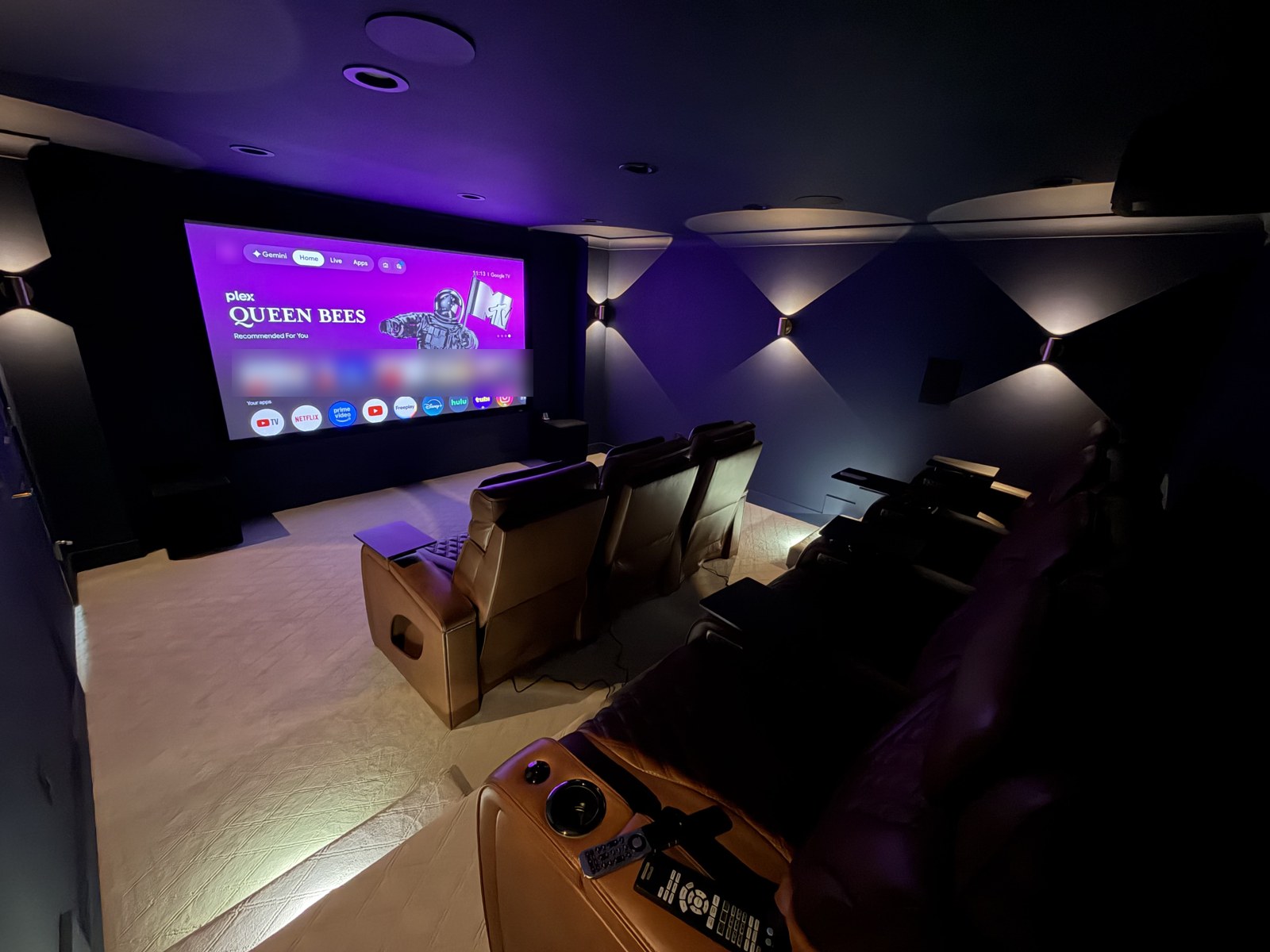
The second theater is our most recent one. A Denon AVR, an Epson LS12000 — the projector we sell more of than any other — a Google TV 4K box, and a Lutron Caseta hub. It got a SofaBaton X2.
Here the mistake was mine. We sold the clients a remote and a lighting system without knowing they didn’t work together.
SofaBaton does control some IP devices natively. I knew Philips Hue was in there and I was fairly sure Sonos was, so I assumed a name as big as Lutron would be too, over a local or a cloud API. It isn’t. Their own documentation is direct about it: Roku, Sonos, and Philips Hue. That’s the list. Not Lutron, not TP-Link Kasa, not anything else.
Without Home Assistant, SofaBaton can’t control Caseta, and these clients didn’t have Home Assistant. I ended up putting a Raspberry Pi Zero 2 W in between as a translator, and that build is its own post.
Three brands. I should have checked.
The X2 has been better about staying connected than the X1 was.
The app that won’t share
This one only shows up in a real house with real people in it.
When you open the SofaBaton app, it shows you the hubs it can see on your network. If you have one hub, you see one hub. But once somebody opens the app and selects that hub, it disappears from the list on everyone else’s phone.
I found it in theater 2, walking the client through how we had programmed the remote and some timing changes we still needed to make. I had the app open on my phone with the hub selected. I asked them to download the app and open it on theirs. Their phone couldn’t see the hub. So we started troubleshooting the network, and then their device.
As far as I could tell, a single app session takes hold of the hub and doesn’t let go. The hub comes back for everyone else when that phone forgets it, or when the app is force closed — force closing doesn’t forget the hub, it just releases the connection. I couldn’t find this documented anywhere. It isn’t in SofaBaton’s setup pages and it isn’t in their own hub connection troubleshooting article.
Once we understood it, it wasn’t a big deal. And you might ask who, in real life, would ever run into it. Clients do this constantly. The remote is in the other row. There’s a dog on their lap, or a kid, or a blanket, or they’re in the middle of eating. So they pull out their phone. If somebody else’s phone is still holding that session, theirs doesn’t see the hub at all.
The rest of it
The screen is underutilized. It’s a big screen, and I’d guess it costs a fair amount of battery and adds to the price of the remote. When you start a watch-TV activity, there are no standard screens waiting for you. I expected aspect ratio toggles for the JVC, since it has lens controls. Or a way to pick favorite apps. Or even a screen that nudged you toward building a macro, so you’d find out what else the remote can do. There was nothing.
Navigation was confusing. Getting back to the activities, or to a specific device, never felt as intuitive as what I was used to.
And the IR database felt thin. The app shows you a user-contributed database, where people train the remote on devices SofaBaton doesn’t have and share those codes. I think that’s a genuinely good idea. No company can own, rent and test every device out there, and with some caveats a user base can fill the gaps. My problem was how often I needed it. I expected more of SofaBaton’s own codes and less reliance on everyone else’s.
Why I still recommend it
We might still install SofaBatons. At that price, it’s really the only option.
So when someone asks me what to buy now that Harmony is gone, I tell them SofaBaton. That’s because it’s what exists, not because it’s what I want to be recommending.
You should know I’m not neutral here. I’ve been building my own remote since Logitech left the category, which makes me a competitor writing about a competitor’s product, and I say so on the record. Everything above happened in two real rooms with real clients in them, and the clients in both rooms are happy with their remotes. Weigh it knowing that.
My goal isn’t to displace SofaBaton. It’s to give people who want a Harmony-like experience somewhere else to go.